

A request in SAP. A decision in Jira.
I connected SAP to Jira so a team can open an issue, add a comment and change its status from SAP. In this example I paired the connection with an approval application. A reviewer decides on a request for office chairs in Jira, and the decision comes back to SAP.
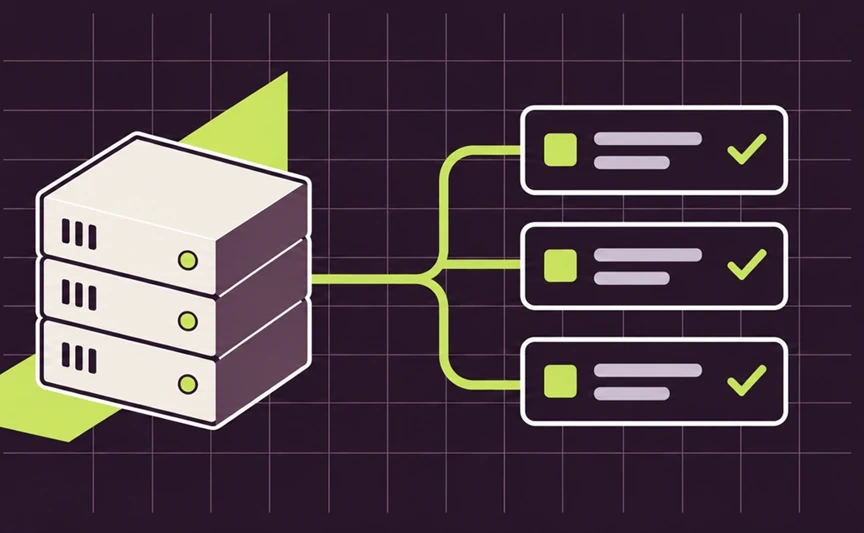
Done in Jira, approved in SAP
Follow the chair request across the two screens using its issue key, SAPT-11.
See what needs approval
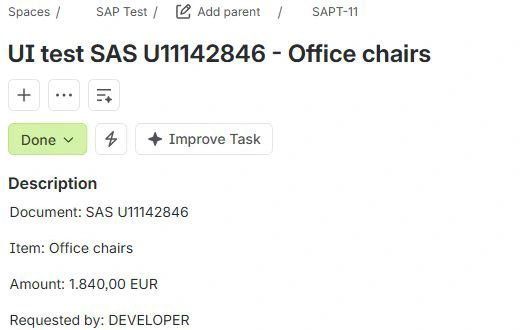
The reviewer sees the item and amount in Jira. Here, the office-chair request SAPT-11 has been moved to Done.
 ABView full size ↗
- ASAPT-11 is the issue for the chair request.
- BIn this example, moving the issue to Done signals approval.
Find the same decision in SAP
Look for SAPT-11 in the SAP list. The word “approved” beside it shows that SAP recorded the decision against the same request.
 ABView full size ↗
- AThe same issue key appears in SAP.
- BApproved is the decision recorded for this request.
How does a Jira decision find its SAP request?
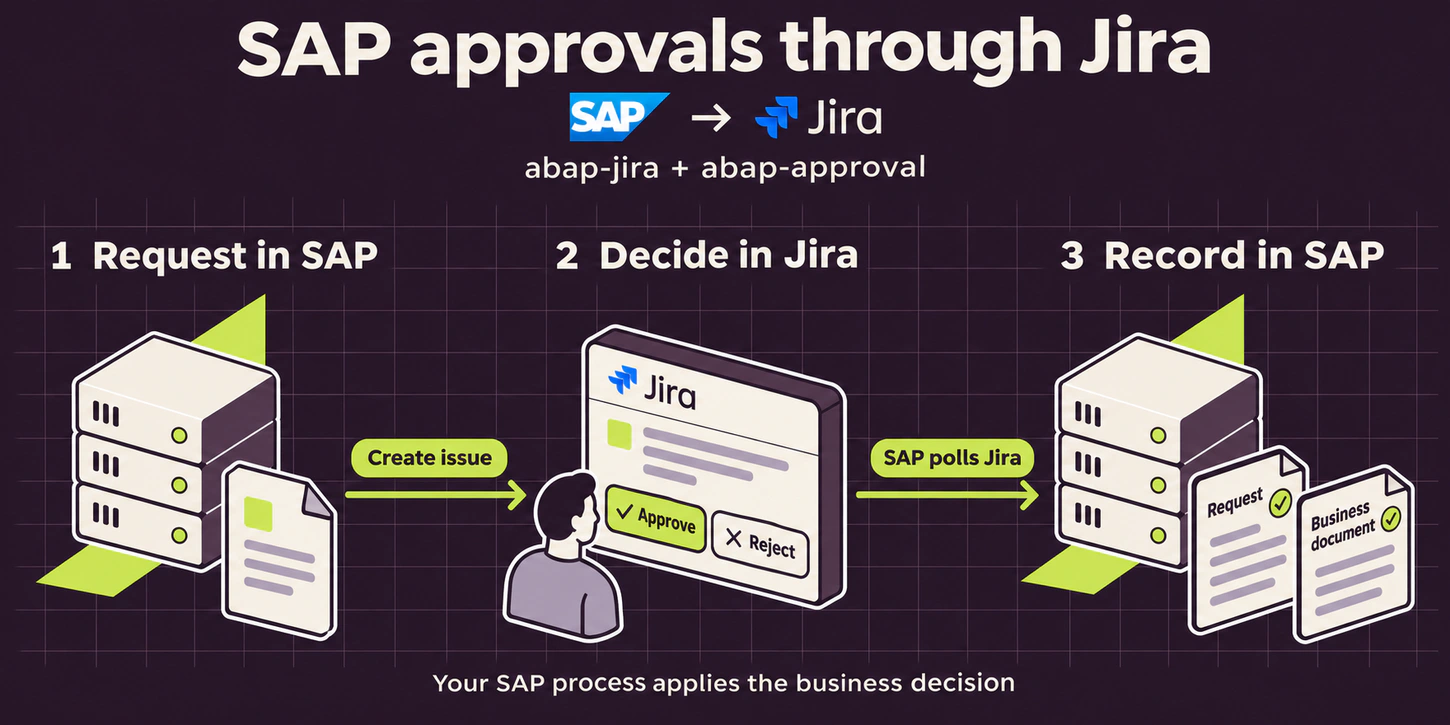
Open the request
SAP creates a Jira issue for the request. The reviewer can see the item and the amount on that issue.
Match the decision
The approval application reads the decision and records it against the corresponding SAP request. For a rejection, it also keeps the reviewer’s reason.
What I built
- Work with the team’s issue list
- I connected issue search, creation, assignment and status changes to SAP. A new detail can be added as a comment on the existing issue.See different kinds of work in SAP
- Keep the reviewer’s reason with the decision
- I linked the approval application to Jira. The requester can read a rejection reason, such as the need for a second quote, beside the original SAP request.The reason returns to SAP too
- Connect maintenance work to an issue
- I added background jobs that can comment on the matching Jira issue when an SAP change is released for transport, or open an issue when a program fails.
From the test screens
Keep the reason for a rejection
In a separate request, the reviewer asks for a second quote. SAP replies in the same conversation to confirm that it recorded the rejection.
 ABView full size ↗
- AThe reviewer asks for a second quote.
- BSAP confirms it recorded the rejection.
The reason returns to SAP too
This issue is SAPT-12. The reviewer’s request for a second quote appears beside “rejected” in SAP, so the requester can see what to do next.
 ABView full size ↗
- AThe other request, SAPT-12, is marked rejected.
- BThe reason entered in Jira appears on the same row.
See different kinds of work in SAP
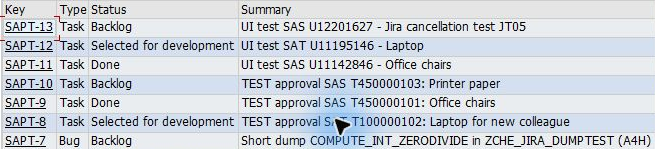
The Jira list includes a different kind of issue alongside the chair request. SAPT-7 tracks an SAP program failure. The team can read its number, summary and current stage in one view.
 AView full size ↗
- ASAPT-7 is the bug in the issue list.