

A reply from a phone reaches SAP.
I built a WhatsApp connection to deliver SAP documents and match replies to requests. This approval example follows one request from the phone back to SAP.
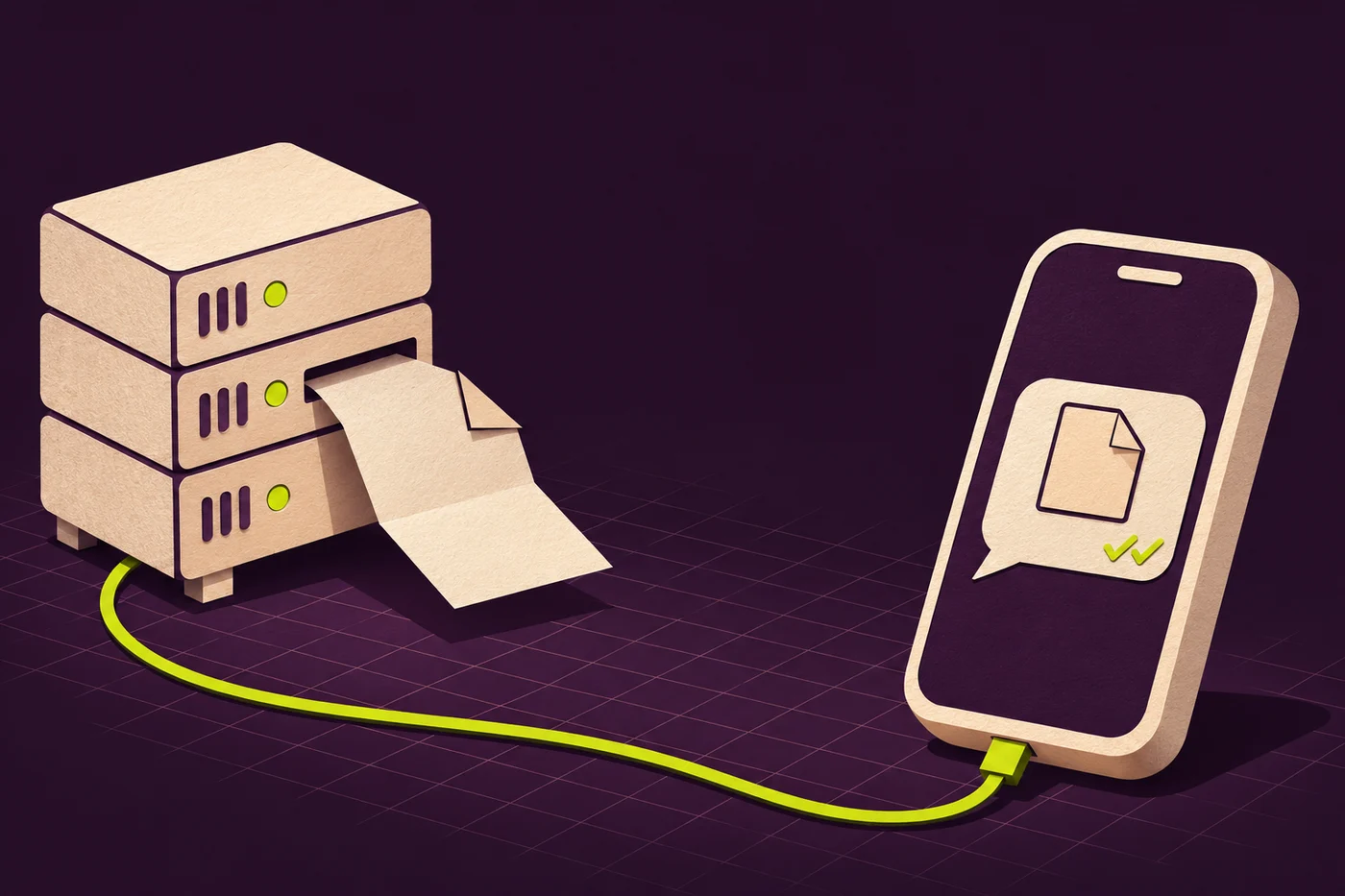
From “Evet” on the phone to “approved” in SAP
SAP sent an approval request for EUR 1,840. The recipient had one open request and typed “Evet” (yes). SAP matched the reply to that request.
Reply on the phone
The recipient reads the request in WhatsApp and replies “Evet” (Yes). The next message acknowledges the approval.
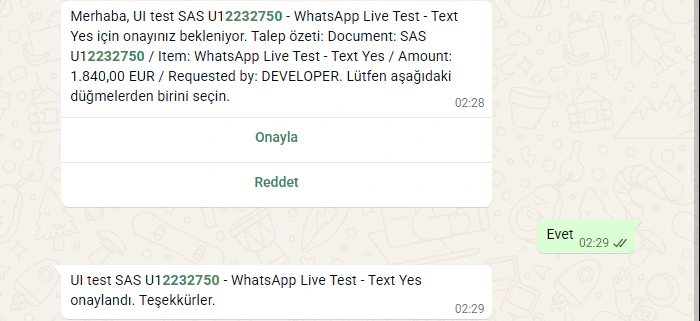 ABView full size ↗
- ASAP sent request U12232750 with its amount.
- BThe recipient typed “Evet” (yes) in this test.
See the reply beside the decision
The SAP details for the same test show both the approved status and the recipient’s original answer, “Evet”.
 ABView full size ↗
- ASAP recorded the request as approved.
- BThe record also keeps the recipient’s actual reply, “Evet”.
A document goes out. A reply comes back.
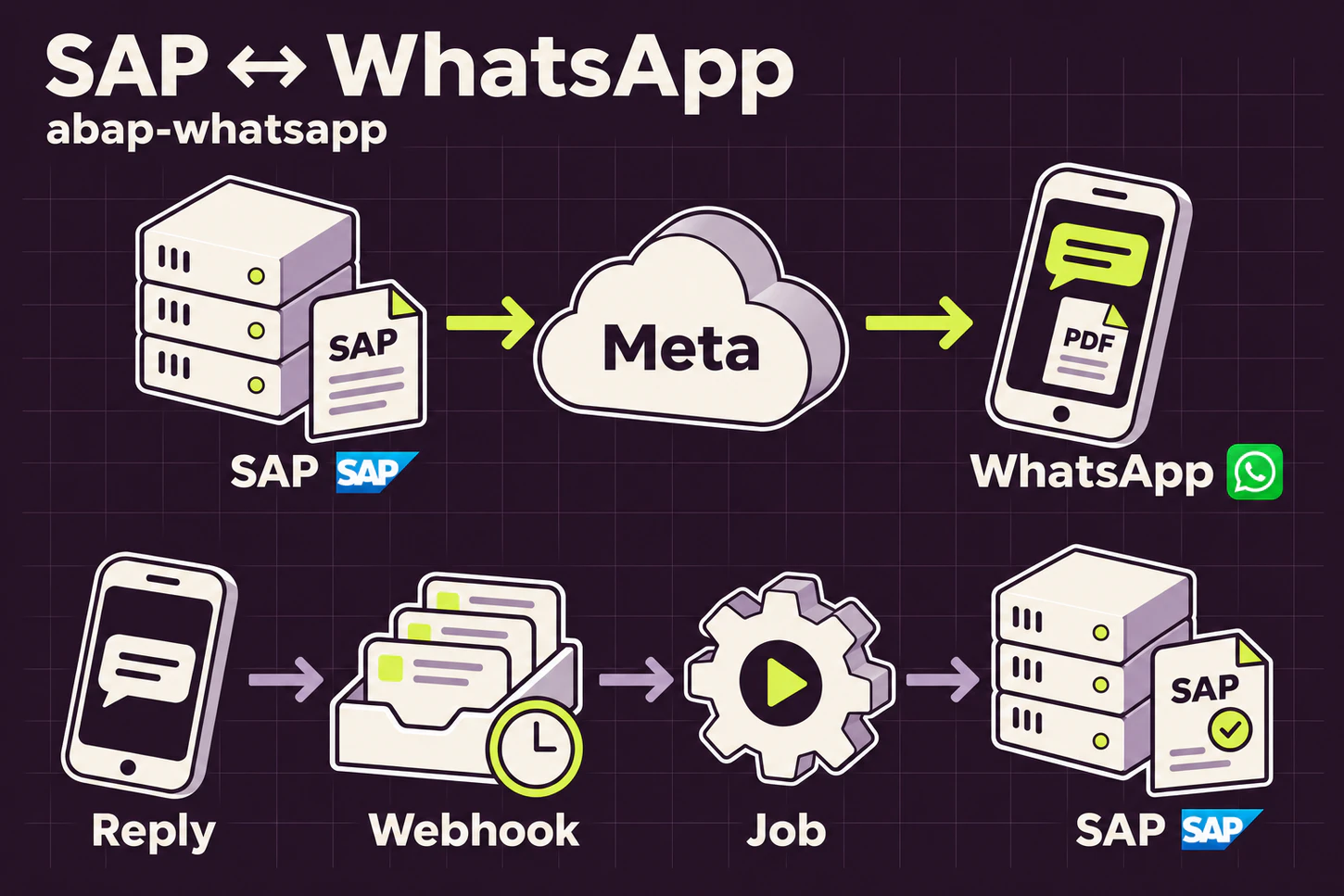
Deliver the document
SAP sends a PDF with a short message. The recipient sees the file and the message together in the WhatsApp conversation.
Bring the decision back
For requests using the approval application, the reply is matched to its request. The person following up in SAP can see what the recipient answered.
What I built
- Deliver a document to a phone
- I connected SAP print output to WhatsApp as a PDF attachment that the recipient can open on their phone.What a delivered document looks like
- Match a phone reply to a request
- With the approval application, the recipient can approve or reject with a button. I also matched a written “evet” (yes) to the request when the person has exactly one open.See the reply beside the decision
- Continue the conversation from SAP
- I brought incoming WhatsApp messages into an SAP inbox and added a way to reply to the sender. In the test, the team could also see that its reply had been read.
- Let recipients choose whether to hear from SAP
- A recipient can pause notifications by sending DUR and resume them with KATIL. SAP checks this preference when sending messages.When the recipient opts back in
From the test screens
What a delivered document looks like
In this document-delivery test, the recipient sees the PDF from SAP as a WhatsApp attachment. Its type and size are visible before opening it.
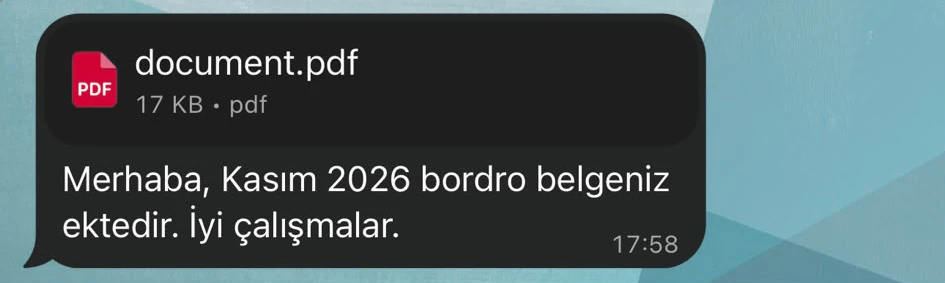 AView full size ↗
- AIn this separate delivery test the SAP document appears as a 17 KB PDF attachment.
When the recipient opts back in
After the recipient sends KATIL in WhatsApp, that word appears in the SAP consent record. It gives the team a trace of why the notification preference changed.
 AView full size ↗
- ASAP keeps the recipient’s KATIL opt-in message as the reference.