Review exchange rates before saving
I built a tool that compares central bank rates with the values already in SAP. The reviewer can see which rates would be added or changed before saving.
Check the rate before saving
The preview compares the central bank bulletin with SAP. In this example the dollar rate already matches. The message at the end of the row explains why it can stay as it is.
 ABView full size ↗
- AThe bulletin quotes 49.69970 TRY per US dollar.
- B“UNCHANGED” means SAP already has this rate.
Find the saved rate in SAP
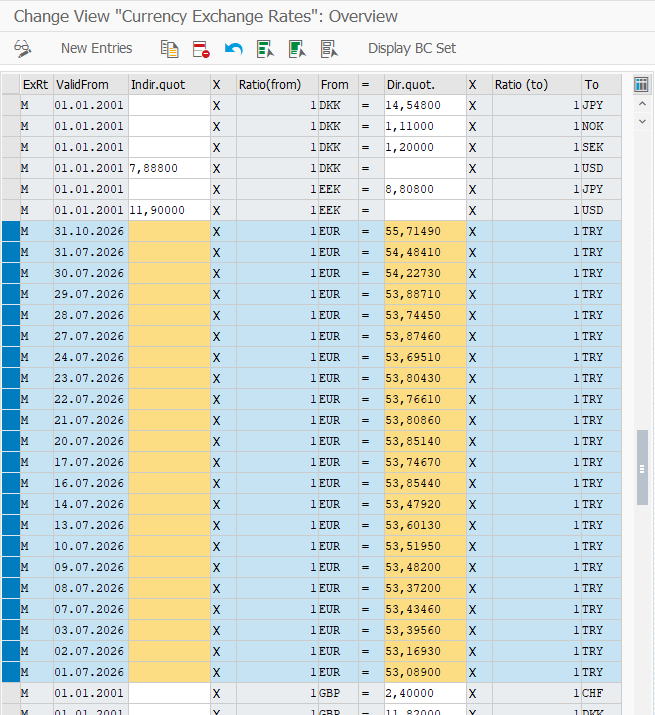
Once a rate is saved, the finance team can look it up in SAP’s exchange-rate list. The euro example shows which value applies from which date.
 AView full size ↗
- AThe 31 July row shows 54.48410 TRY for 1 EUR.
Schedule the next run
The same report can run on a daily schedule. The job monitor shows a completed test run, so the team can check that a scheduled task ran without starting it by hand.
 AView full size ↗
- A“Finished” confirms the scheduled run has ended.