Prepare an SMS in SAP with Netgsm
When a document is ready, the team can prepare a text message in SAP. My report checks the recipient numbers and shows how many SMS credits the message is expected to use before anyone sends it.

Write the notification
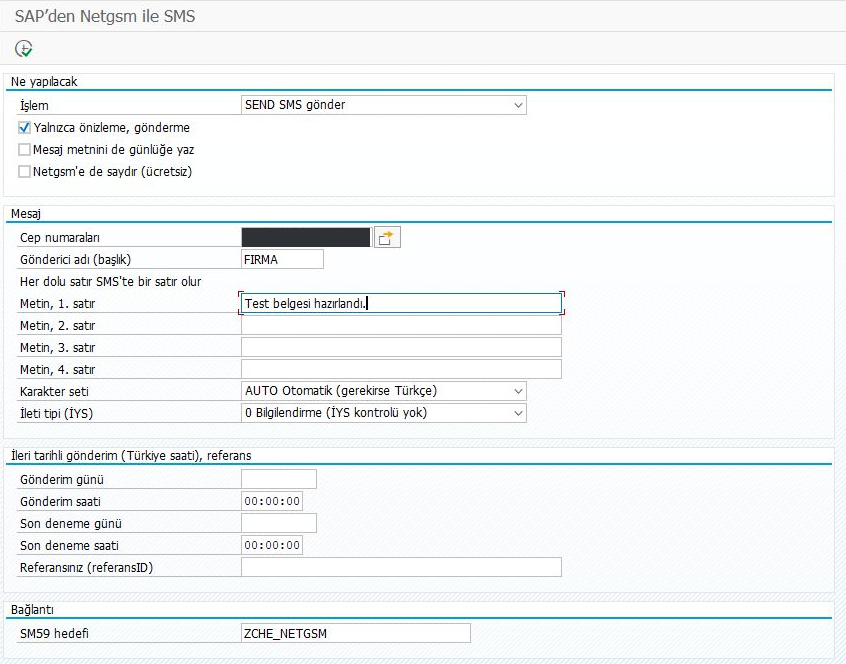
Choose the sender name and enter the message. In this example, the team wants to tell someone their test document is ready. A date and time can also be set for a later send.
 ABView full size ↗
- APreview is selected. Running the report now only checks the message.
- BThis is the text the recipient will see.
Check who will receive it and what it may cost
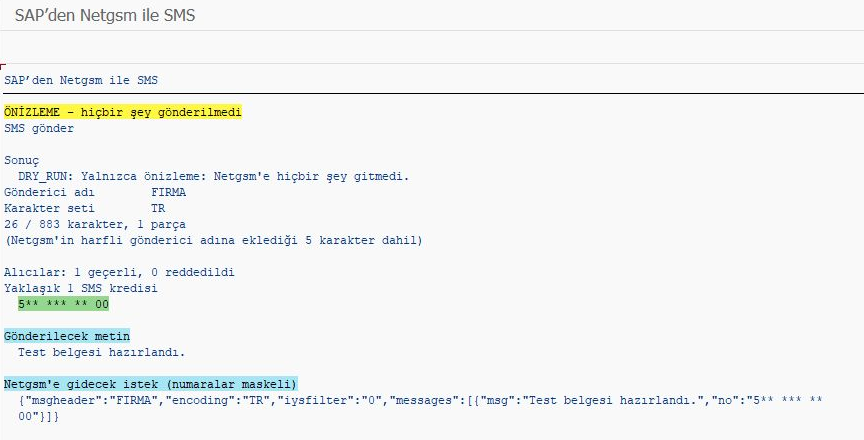
The preview counts valid and rejected numbers. Here the message fits in one SMS part for one recipient. The phone number is masked in the result.
 ABView full size ↗
- ASAP confirms this was a preview.
- BOne valid recipient and an estimated cost of one SMS credit.
See the recipient’s view
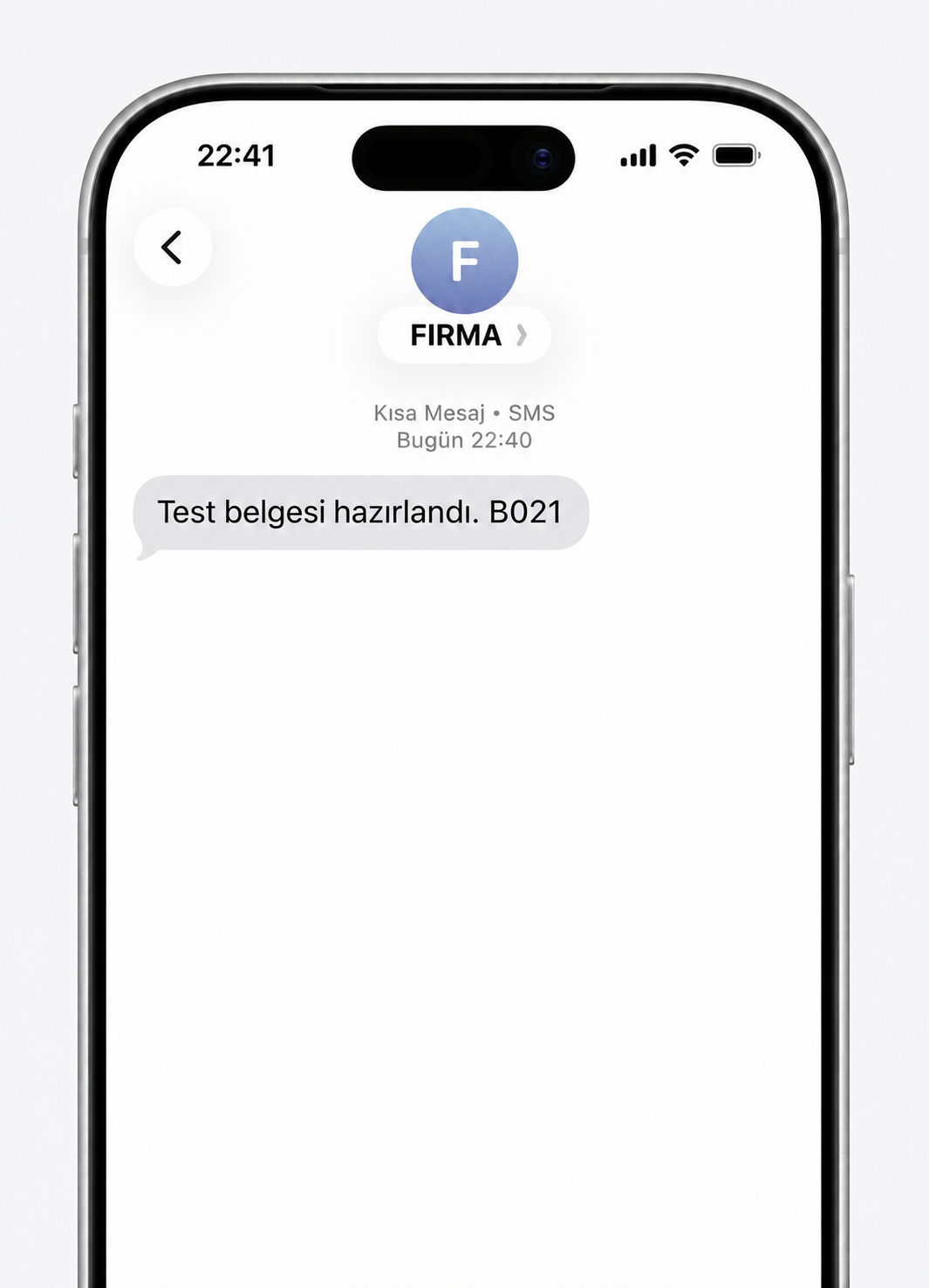
The illustration shows the message under the sender name FIRMA. Previewing the message was tested in SAP. Delivery to a phone is still unverified because the test account had no approved sender name.