

From SAP to Outlook, Teams and shared files.
An SAP process might need to send an email, arrange a meeting or leave a document in a team folder. I connected these tasks to Microsoft 365. The screens show a file arriving in SharePoint and a Teams meeting appearing in Outlook.

One file, from SAP to SharePoint
Follow geri-yukleme.bin. SAP reports where it uploaded the file, and the same name appears in the team’s shared folder.
SAP confirms the upload
The result line shows “OK Uploaded” alongside the name of the file that was sent.
 AView full size ↗
- AThe OK Uploaded line gives the folder path and the filename geri-yukleme.bin.
Find the file in SharePoint
The selected file has the same name as the upload in SAP. The team can find it by opening the shared folder.
 AView full size ↗
- AThe same file is selected in the shared folder.
Choose where the work belongs in Microsoft 365
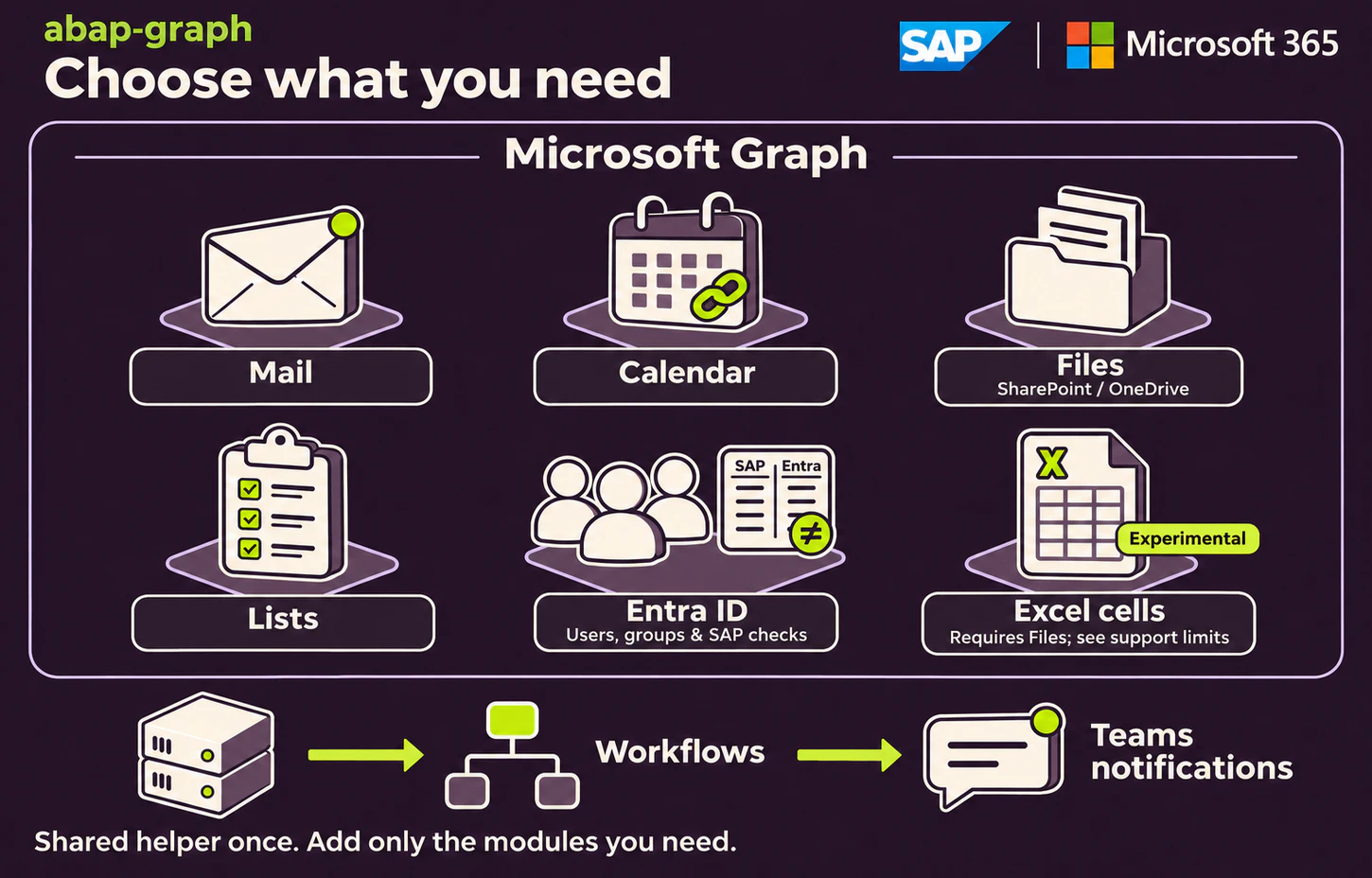
When the team needs a file
SAP sends the file to a shared folder. The SAP result confirms the upload, and the SharePoint view shows where the team can find it.
When the work is in a spreadsheet
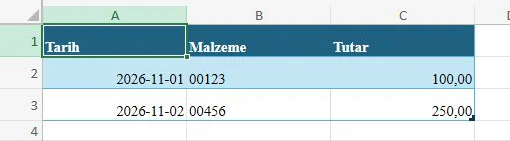
I also tested working with selected cells in an Excel workbook. This is a separate experimental path. The sample workbook below groups dates, materials and amounts.
What I built
- Connect mail and calendars
- I connected sending and reading Microsoft 365 mail with creating Outlook calendar events. An online meeting includes its Teams join link in the calendar entry.The meeting in Outlook
- Work with shared files and lists
- SAP can upload and download files from SharePoint or OneDrive. I also added operations for teams that keep their records in SharePoint lists.Find the file in SharePoint
- Check SAP access when a Microsoft account closes
- I built views of Microsoft 365 users and group members in SAP. A comparison flags active SAP users whose address matches a disabled Microsoft account or has no Microsoft match.
- Notify a Teams channel
- I used a separate Workflows connection for Teams channel notifications. People see the message in their channel and meetings in their Outlook calendar.
From the test screens
A separate experiment with Excel cells
Each row in the sample sales workbook has a date, a material and an amount. I used an existing workbook to test working with cells from SAP, separately from the file upload above.
 AView full size ↗
- AA separate Excel example shows the date, material and amount in one row.
The meeting in Outlook
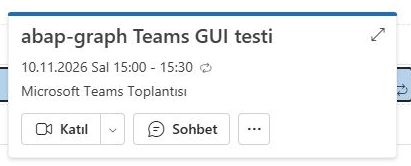
In a separate calendar test, the event appears as a Microsoft Teams meeting. The Katıl (Join) button shows where a participant can enter the meeting.
 AView full size ↗
- AThe recipient can enter the Teams meeting with the Join button in Outlook.